Buckle up kiddos I never really watched The Big Bang Theory…
Why?
Because they are incredibly complex, specialised and highly optimised. I simply don’t have the expertise or time to build something comprehensive even if I did.
What is a Physics Engine?
A physics engine is software that simulates objects under physical forces like gravity, friction and momentum, handles collisions, constraints etc. it also provides a way to grab information about the simulation and object state.
While a simple simulation of gravity is pretty straight forward, as soon as an object collides with another and you consider what those objects are made of, their individual masses and momentum any physical constraints between… well you get the point.
Fight For Your Right To (Third) Party

Why should I use an off the shelf solution for something, that feels like cheating… or the more egregious and egotistical “I can do better!”
In almost all situations, no sir/madam, you cannot.
As with anything there are pros and cons that you should always consider. Generally speaking (not the physics engine, that is a no brainer for me) here are some based on my own experiences so grain of salt as usual.
Third Party
Pros
- Faster to ship. You’re not spending time reinventing the wheel.
- Tested. Testing gets distributed across the many users.
- Documented. Not just official documentation but a community often grows around good third party offerings and you can usually find examples of how people are using it, things you might not have considered, approach pitfalls etc.
Cons
- Less Control. Sometimes you need to tweak something that doesn’t have the knob you need.
- Dependency risk. Especially with open source software, there is always a risk that the project is abandoned, or worse, gets gobbled up by Big Tech™ and syphoned, squandered or turned into a subscription service…
- Integration. Can be difficult to integrate due to architectual decisions on either end.
Rolling Your Own
Pros
- Hopefully less bloat. You only implement what you need.
- Deeper understanding. You inherently know more about a system because you’re responsible for it.
- Educational. The real treasure was the
friends you makethings you learnt along the way. In my case, that is the really the point of this project.
Cons
- Resource wastage. Spending time solving already solved problems is a waste of time, time you could be using elsewhere.
- Bugs. They’re your problem and yours alone (unless you have a team of people).
- Underestimated complexity. Unless you’re a domain expert, it’s easy to underestimate how complex a problem space is and it takes you far more time than you anticipate. That or you produce a something worse. Which happens. A lot.
To That End
Checkout the announcement blog post for some timings if you’re interested. It’s very impressive.
It also has cross-platform determinism (to quote the announcement blog post) “this means that if you run the same simulation with the same initial states on two different machines (or on a browser) you will get the exact same results.” this is great for multi-player or physics based games.
Integration… Heaven??
I am a jaded man, I’ve been around the block enough to know that things are rarely easy. But getting rapier integrated into Static Rectangle was surprisingly (and suspiciously) easy.
This hopefuly means that my engine architecture is on the right path.
Don’t get me wrong there was still A LOT of work to do, but I wasn’t fighting anything along the way.
It was Falling Into Place. He said it! He said the thing!
I did have to make some critical decisions early on, like do I create wrappers to keep myself insulated or just go all in using native rapier objects/descriptions. The answer to this unfolded itself really, there were already some pretty clear boundaries.
I created native Static Rectangle descriptors and components so the scene description stays consistent and serializable, the components stay ECS friendly, rapier object handles for physics components are created on demand and the physics implementation itself lives in a Physics System.
At runtime, the app recieves the animation frame request from the browser Static Rectangle handles the fixed update (fixed for stable simulation i.e frame-rate independent) and I step the physics engine and sync the result.
while app.is_running
    frame = tick()
    app.engine.fixedUpdate(frame)
    │
    └─► engine.physicsSystem.fixedUpdate(world, frame)
        │
        ├─► for entity in world.query('transform', 'rigidBody')
        │   │   if rigidBody has no handle
        │   │       body = createRigidBody(rigidBody.descriptor, transform)
        │   │       rigidBody.handle = body.handle
        │
        ├─► for entity in world.query('transform', 'collider')
        │   │   if collider has no handle
        │   │       body = getRigidBody(entity)
        │   │       shape = createCollider(collider.descriptor, transform, body)
        │   │       collider.handle = shape.handle
        │
        ├─► rapierWorld.timestep = frame.delta
        ├─► rapierWorld.step()
        │
        └─► for entity in world.query('transform', 'rigidBody')
            │   body = getRigidBody(rigidBody.handle)
            │   syncTransform(body, transform)
Setting The Scene
To setup a test scene, I created a Script that implements theonSceneLoad function. That function procedurally creates a floor entity with a collider component, and scatters n-number of entities with both collider and rigid body components within a specified area. That way I can control in the scene description how many cubes to make and where they should spawn, À la
{
    "kind": "script",
    "name": "PhysicsTestScene",
    "args": {
        "count": 40,
        "volume": [8, 12, 8]
    }
}
Debugging The Physics Engine
I’d like to pretend the work I recently did on the LineSegmentRenderer was planned in anticipation of this but that would be a lie. It’s just a coincidence. If I were being a big-boy engineer and properly planning the project then it wouldn’t be a coincidence.
But I’m glad I did, because rapier does not have the ability to render, it’s a physics engine, not a renderer. But it does provide DebugRenderBuffers, a flat line-list of vertices and one of colours and that fit naturally into the new LineSegment provider structure I just implemented.
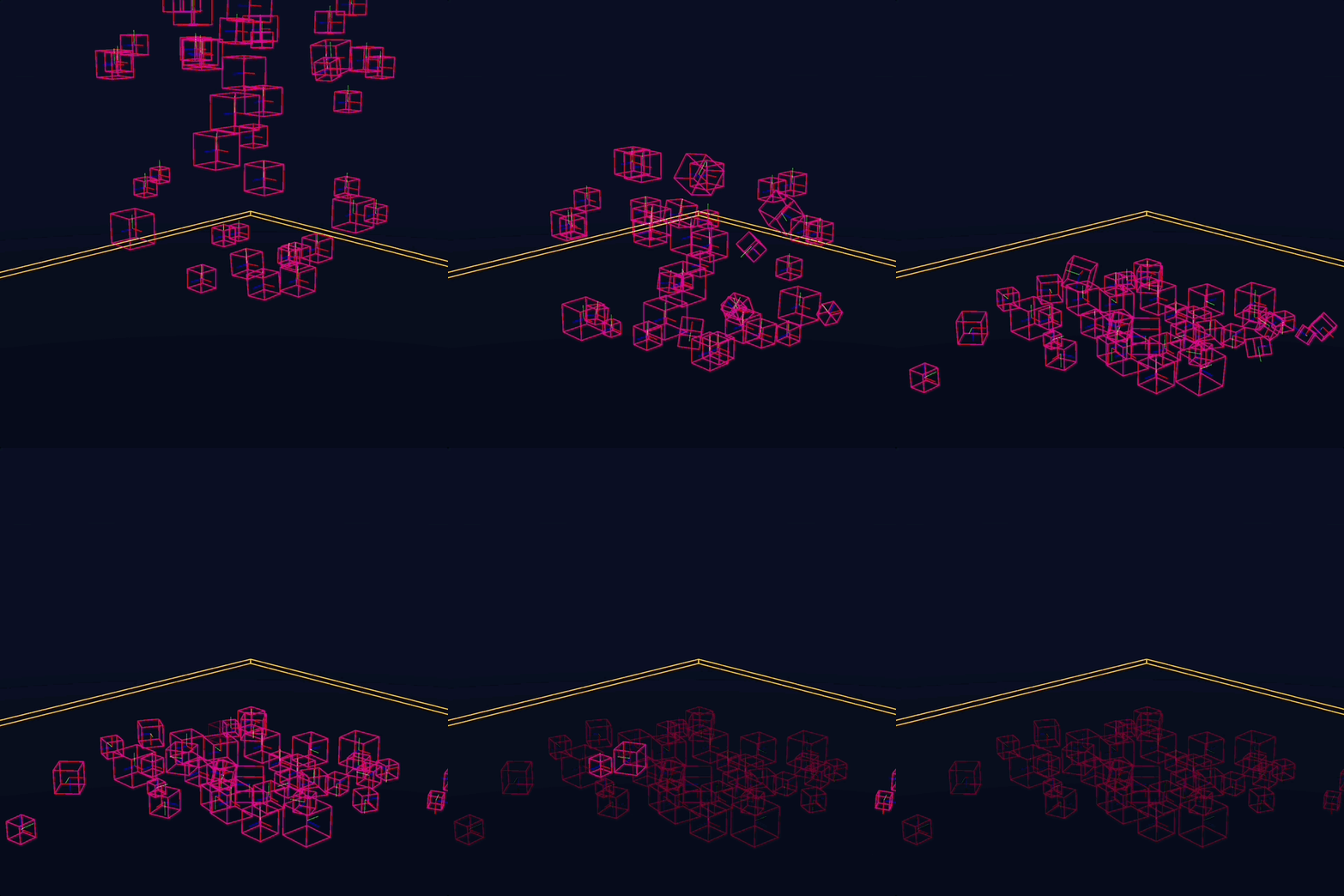
Hey Presto! The debug buffers include little axis for the rigid bodies too which is nice. The colour change represents active state, it dulls when sleeping. No control over the colours, but it doesn’t matter to me.
Nice! how about we add some geometry to those cubes.
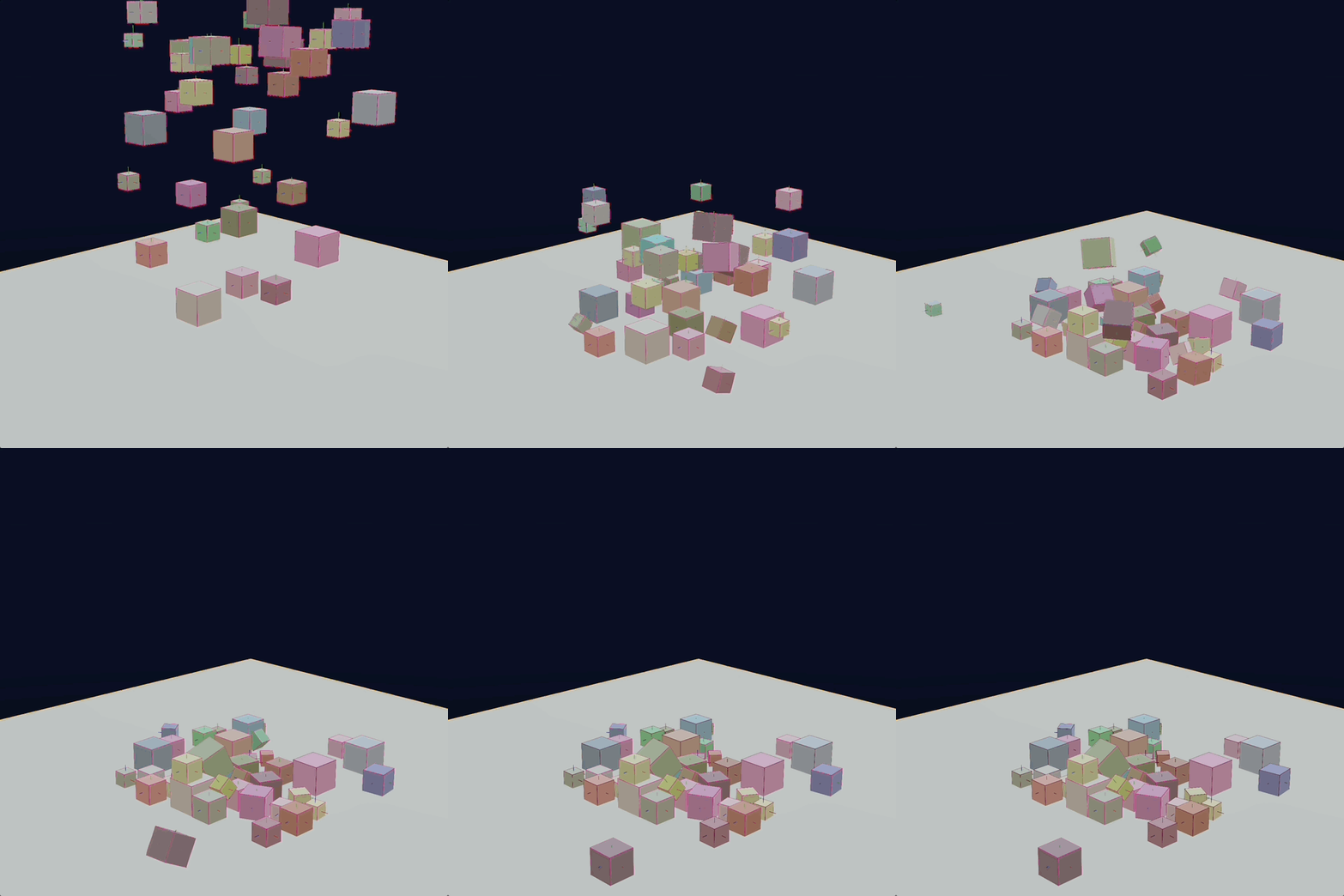
Cool! lets take a closer look at how those cubes have scattered.
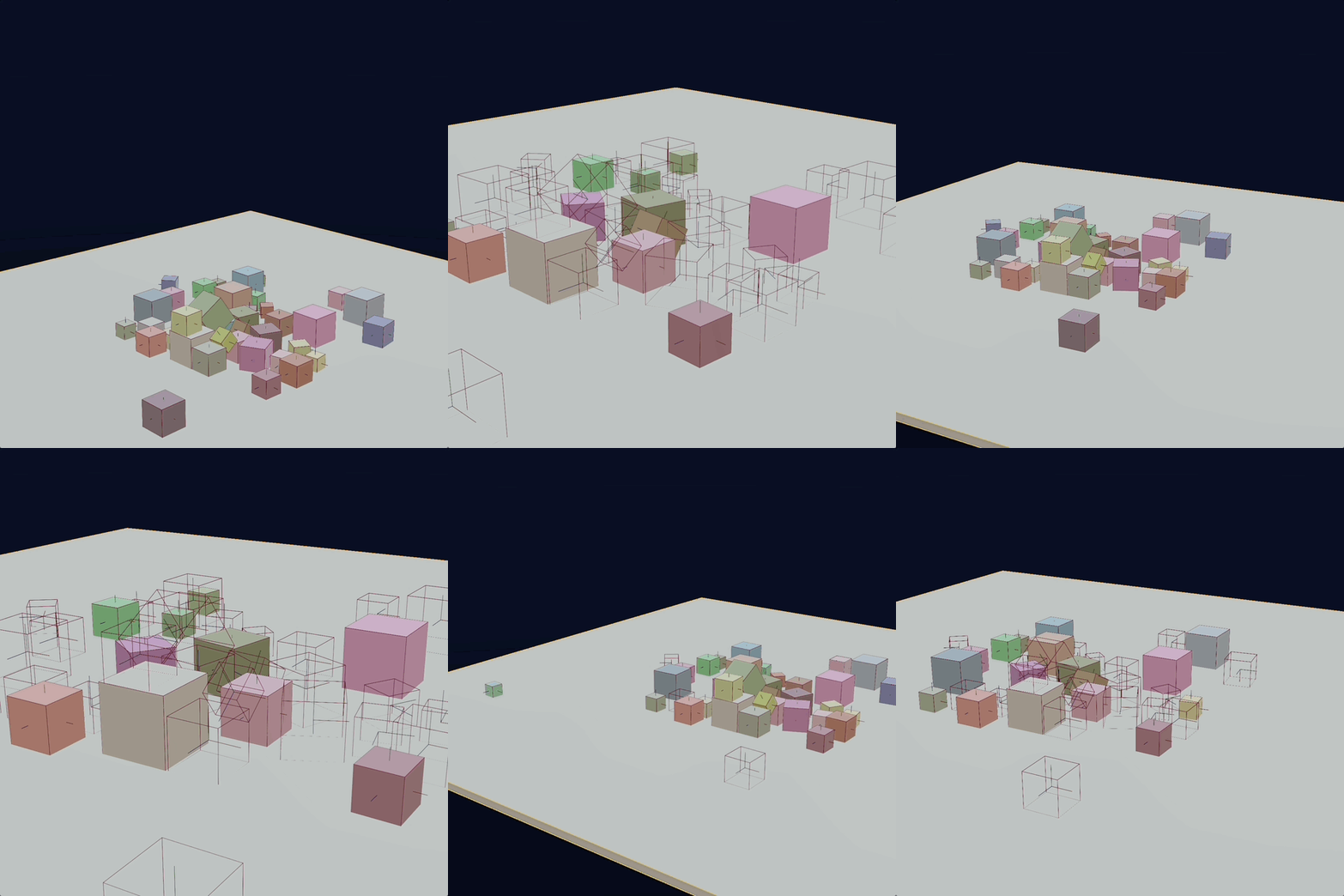
Huh? that isn’t right.
When this first happened I frowned at my computer screen for a moment but knew what the problem was. I knew this day would come and it had.
Frustum Culling
I breezed over ths in my last post, but I implemented frustum culling some time ago.
So what is frustum culling? frustum culling is were be ‘cull’ objects outside of the view frustum of the camera.2
What is the view frustum? the view frustum is what the camera sees based on its field of view (fov) as well as the near and far clipping planes. Those camera properties along with the position and orientation of the camera lets us create planes that define the view frustum.
It’s usually visualised as a clipped pyramid, but mathemitcally we use planes because it’s very fast to check if an object is on either side of a plane, so we just do that for the 6 planes that make up the frustum.
Right.. so by why is this a problem with the physics test scene? The cubes are clearly inside of the frustum, they seem to be randomly disappearing, not in any meaninful way.
Bounds Abound
In order to tell if an object is inside of the cameras view frustum, we need something to test. You can’t just use the objects position because that is a single point. Objects will visably appear/disappear at the frustum boundaries.
Instead, we use the ‘bounds’ a.k.a bounding box. If any of the 8 corners of an objects bounds are inside the view frustum then we consider it in the camera view.
In order to calculate the bounds of an object, you calculate the bounds of the geometry first. You’d usually calculate this when loading the geometry or save it as part of the model format as they don’t change unless the mesh is deforming, but I’m not dealing with that yet. You then multiply that local bounding box by it’s transform’s world space matrix, and that gives you a world space bounding box for the object to test.
I couldn’t see bounding boxes yet, so I added a BoundingBoxDisplay provider for the LineSegmentRenderer (this renderer is coming in clutch). This is a pretty typical display mode for debugging purposes anyway, though you don’t usually have both full geometry and bounding boxes displayed at the same time, it’s usually one or the other.
But lets take a look at our physics test scene with the bounding boxes displayed.
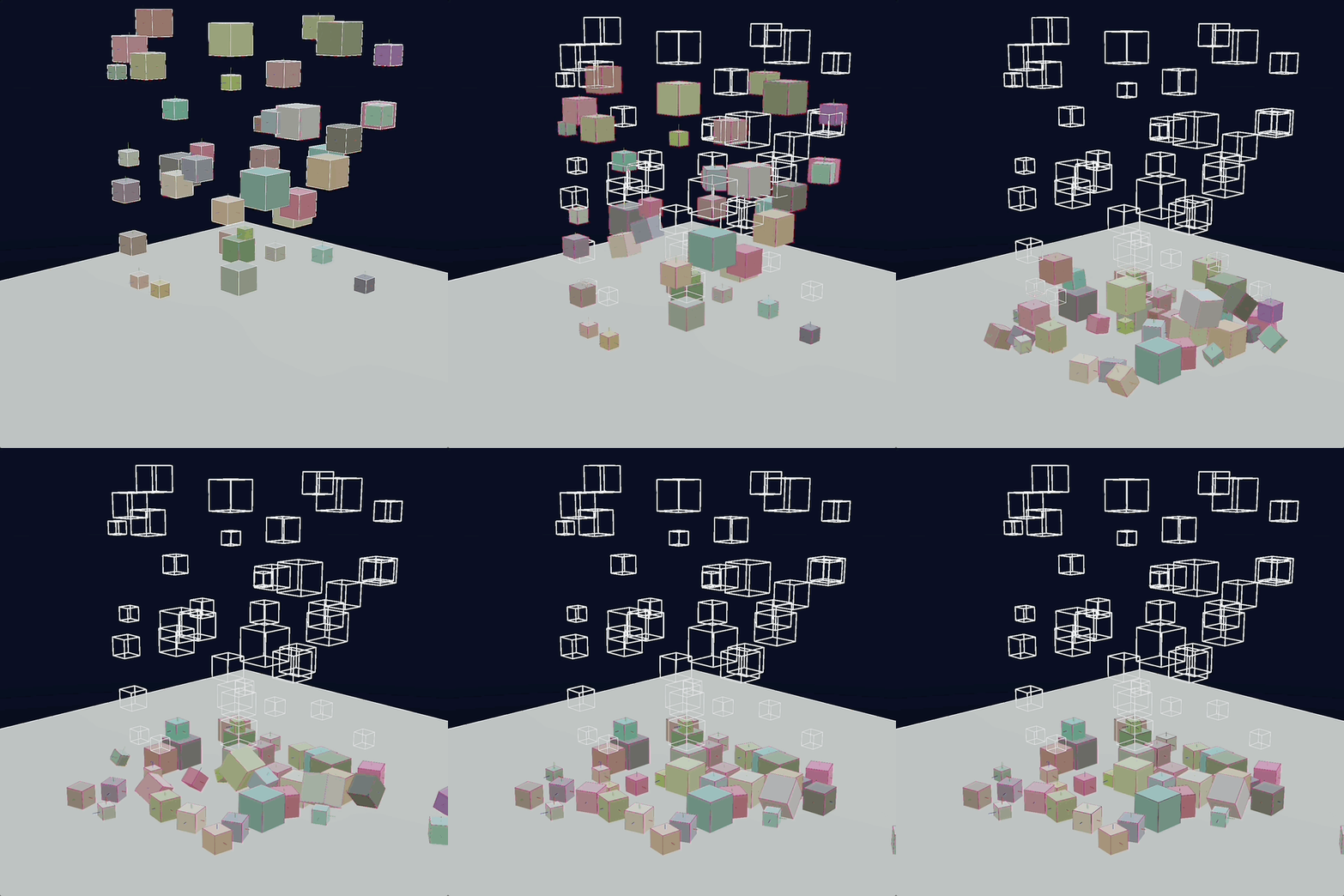
Well there’s the problem, the bounding box isn’t moving with the object as it should! It’s hopefully clear now why it seemed they were ‘randomly’ popping in and out of existence. The cubes that started higher up would be culled first as the camera pans down but they may have ended up anyhwere during the simulation.
The reason I was frowning at my screen when I first saw this was because I had only recently added the BoundsSystem and I know for sure that it was checking the need to recalculate the bounding boxes when a Transform is moves.
Caching Did Me Dirty
A Transform has the concept of being ‘dirty’. When a Transform is dirty and something queries its position it knows it needs to recalculate its world space matrix, which could mean a stack of matrix multiplications. So we want to avoid doing that if we don’t have to.
And when we do, we do the computation once, cache the result on the Transform and clear the dirty flag so the next time something asks, we just give it back the cached matrix/decomposed components.
The problem was that I was using the flag in the BoundsSystem to determine if the bounding box needed to be recalculated but there really is no guarantee when something might pull on a Transform. If it happens before the BoundsSystem runs, then it won’t know the Transform changed. If I move things around to make it work that type of brittle order-of-operations fix is a code smell3 or as known in our industry ‘a little bit flimsy’.
To fix this I added another property to the Transform (keeping ‘dirty’ as it’s still an important marker for when we know we need to recalculate). I added ‘version’ that increments anytime Transform.setDirty() is called. I also added a ‘version’ field to the Bounds component that can keep track of it.
Now during BoundsSystem.update() it iterates all entities with a Bounds component, grabs the Transform and checks the versions match. If they do, cool, no need to recacluate the bounding box. If they do not, then we recalculate the bounding box and store it on the Bounds component.
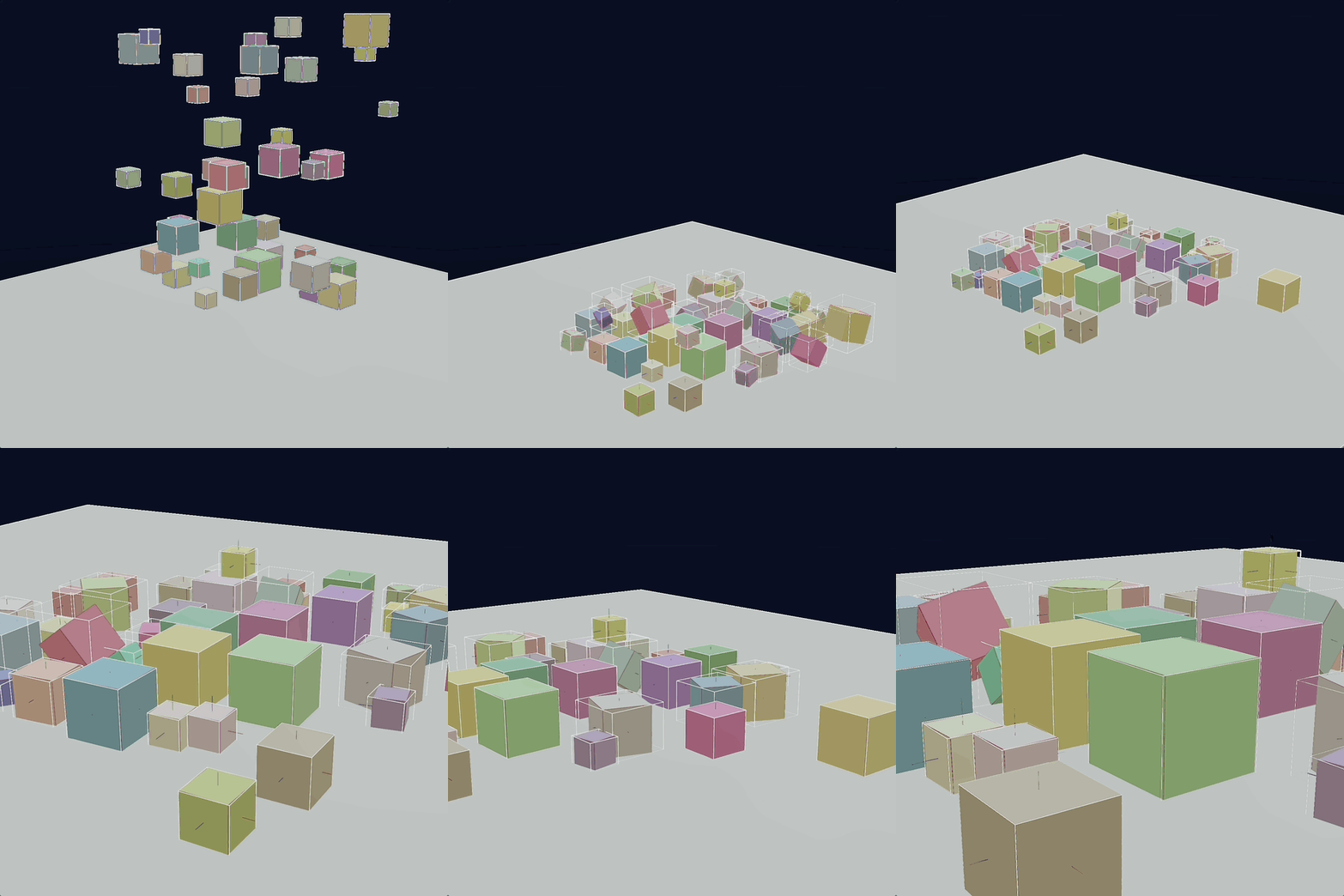
You’ll probably spot that I am not using ‘Oriented Bounding Boxes’ (OBB) I’m using ‘Axis Aligned Bounding Boxes’ (AABB), so they change size as the objects rotate off axis. This is fairly standard for frustum culling as it’s cheaper to calculate and quite frankly, “good enough”.
Side note about the ‘version’ property on the Transform, I was initially concerned that long running sessions with constantly moving objects it might overflow, but even if it were updated 60 times a second it would take 4.76 million years.
I think we’re OK.
Into The Void
You cannot have a physics example without being able launch things into the scene.
So I added that.
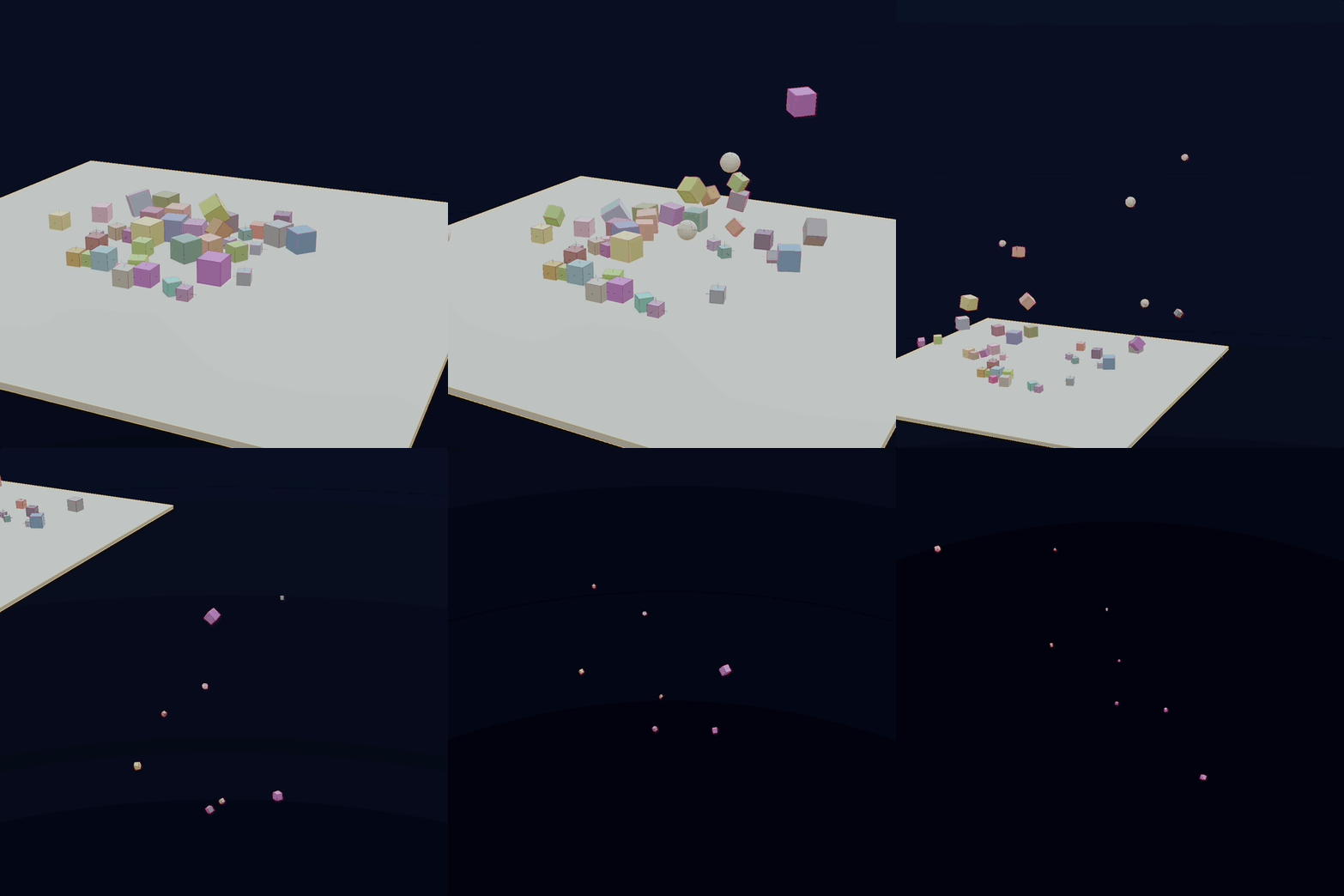
Immediately I noticed when an object falls off the edge, it never stops. Eventually it will be culled from the renderer thanks to frustum culling, but it is not removed from the core/physics engines, the entity/rapier objects live forever.
To fix this issue, I added a ‘bounds’ property to the phsyics world in the scene description and the PhysicsSystem.fixedUpdate() checks if a rigidBody has left the world bounds. If it has, it adds it to a set of entities to destroy that the engine then handles safely (this is harder than it sounds, but I think I’ve rambled enough for one blog post).
Pew Pew
Change Log
- Implemented fixed update for stable physics simulation
- Implemented RAPIER Physics Engine
- Added collider and rigid body descriptors and components for SR that can map to RAPIER native objects
- Added new PhysicsDebug for the LineSegmentRenderer
- Renamed WorldBoundsComponent to BoundsComponent
- Fixed bug with cached transforms causing stale bounds breaking frustum culling
- Added EntityResourceSystem which can load assets for entities created outside of the SceneLoader, i.e entities created by scripts.
- Added ScriptContext for all Script component functions. Provides access to the Engine's input handler, asset and event managers, settings and access to the new entity resource system
- Added ScriptArg interface for Scripts and got rid of positional 'args'
- Moved LineSegment providers to RenderSystem
- Added BoundingBoxDisplay to draw objects as bounding boxes
- Added new GeometryDisplayMode with 'full' and 'bounds' options
- Updated scripts and scene descriptions for new interfaces
- Migrated CameraController to a Script
- Added entity id and meta concept so entities can be retrieved by an optional id
- Rough pass of touchscreen input support
- Now supports CameraEvents for camera control from Scripts/UI
- Updated InputHandler to handle 'wasKeyDown' queries
- Now handling Entity destruction correctly
https://dimforge.crozet.re/blog/2020/08/10/announcing-the-rapier-physics-engine/ ↩︎
https://learnopengl.com/Guest-Articles/2021/Scene/Frustum-Culling ↩︎
I hate this term, it makes me cringe. ↩︎